

School Schedule
Coming soonMacAlways know what period it is, how many minutes are left, and what homework is due.
- Live countdown at the top of your screen
- A homework plan for tonight
- Homework list with reminders
Your school schedule, your email, and a helper that can see your screen, all one click away. Free, simple, and private.
Free · No email needed · For Mac
The apps
Each app gets its own button at the top of your screen. Click it, and it’s right there.
Always know what period it is, how many minutes are left, and what homework is due.

Once a day, a little card sums up your email and lets you reply with one click.

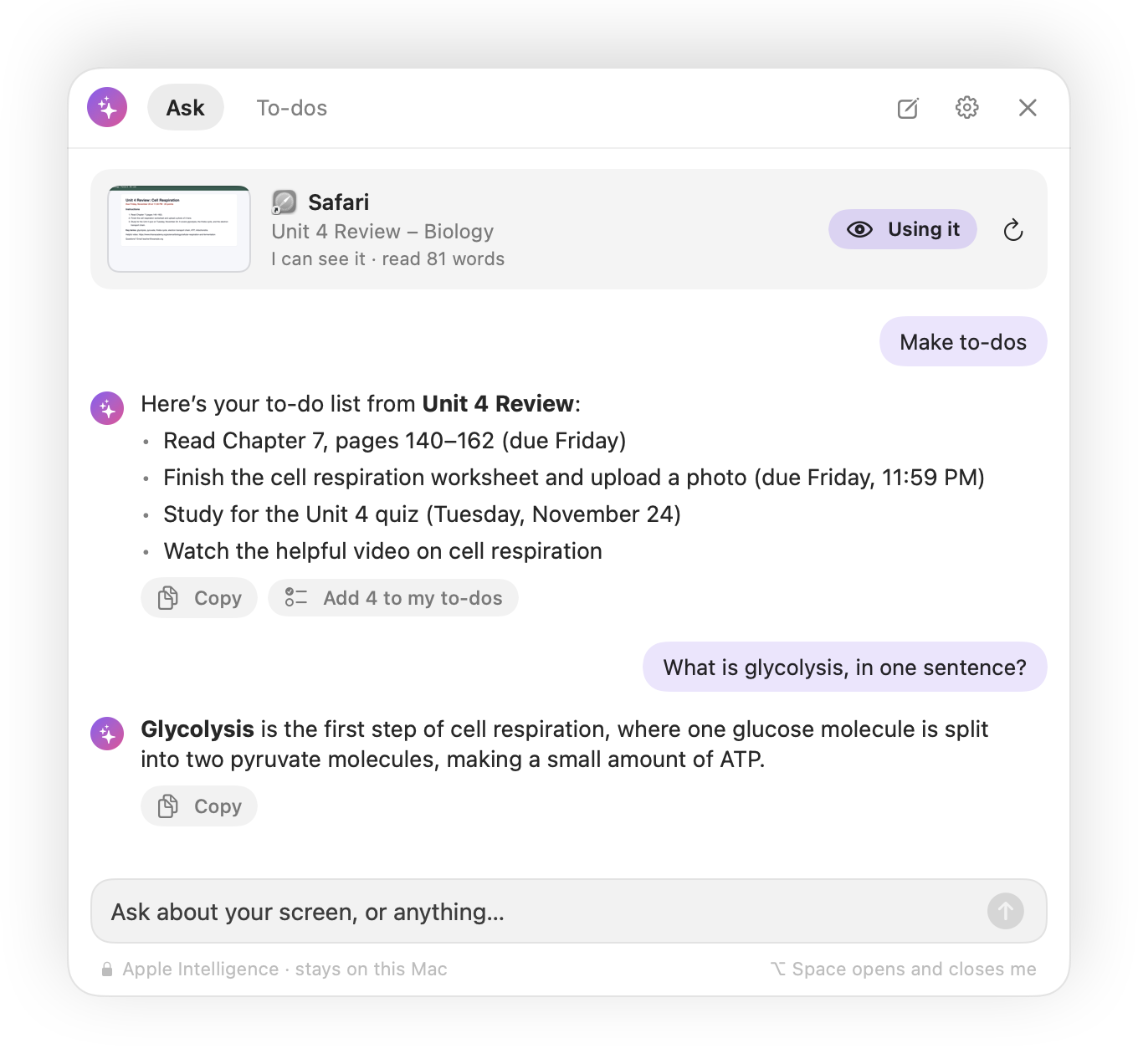
Press ⌥ Space and your personal assistant looks at what you’re working on and helps.

Grid Pop, Block Bop, and Blackjack: free games we made for your graphing calculator.
How it works
No email, no password, and no account. Open an app’s page and click its download button.
Download the app and follow the install guide. The first time, your Mac asks you to allow it.
The app lives in the bar at the top of your screen. Click its button anytime.
Your schedule and homework stay on your Mac. Email Assistant and Screen Assistant use the AI built into your Mac, so we never see your email or your screen.
Each app does one job well and stays out of your way until you need it.
Every app here is free, with no email needed to download.
FAQ
Not yet. Windows versions are coming soon.
Email bradykrupa@programsforyou.com. The install guide also answers the most common questions.
Only when you ask. Open the app and click Check for Updates. If there’s a newer version, the app downloads it from us and installs it, and your settings stay. Nothing updates in the background without you. More help.
Yes. The apps are free to download and use, and you don’t need an email or an account.
Our apps aren’t registered with Apple’s paid developer program yet, so macOS asks you to approve them once. The install guide shows exactly what to click.
Email Assistant and Screen Assistant need macOS 26 Tahoe or newer on a Mac with Apple silicon (M1 or later). School Schedule and the Windows versions are coming soon.
No. It connects straight from your Mac to your email and uses the AI built into your Mac. If you choose to add your own Claude API key, the emails being summarized go to Anthropic instead.
No. It only looks at your screen when you open it, it never records video, and it doesn’t save pictures. With Apple Intelligence, what it sees stays on your Mac.
Never. Every reply waits for you to press Preview & Send.
No. Programs For You is an independent developer and isn’t affiliated with Apple.